How to Install WDAC Policy Wizard on Windows Server 2019

Step-by-step guide to installing the WDAC Policy Wizard on Windows Server 2019 using PowerShell and AppX packages. Covers prerequisites, dependencies, and workarounds for Server OS limitations.
Target audience
System Administrators, EUC Consultants and so on.
Prereqs:
Download WDAC Policy Wizard: https://webapp-wdac-wizard.azurewebsites.net/
Download App Installer: https://download.microsoft.com/download/d/e/2/de2b2ee1-6e63-45fa-99e4-32ee24fe365a/Microsoft.DesktopAppInstaller_1.17.10751.0_8wekyb3d8bbwe.zip
Download App Installer dependency: https://aka.ms/Microsoft.VCLibs.x64.14.00.Desktop.appx
Download App Installer dependency: https://www.nuget.org/packages/Microsoft.UI.Xaml/2.7.2
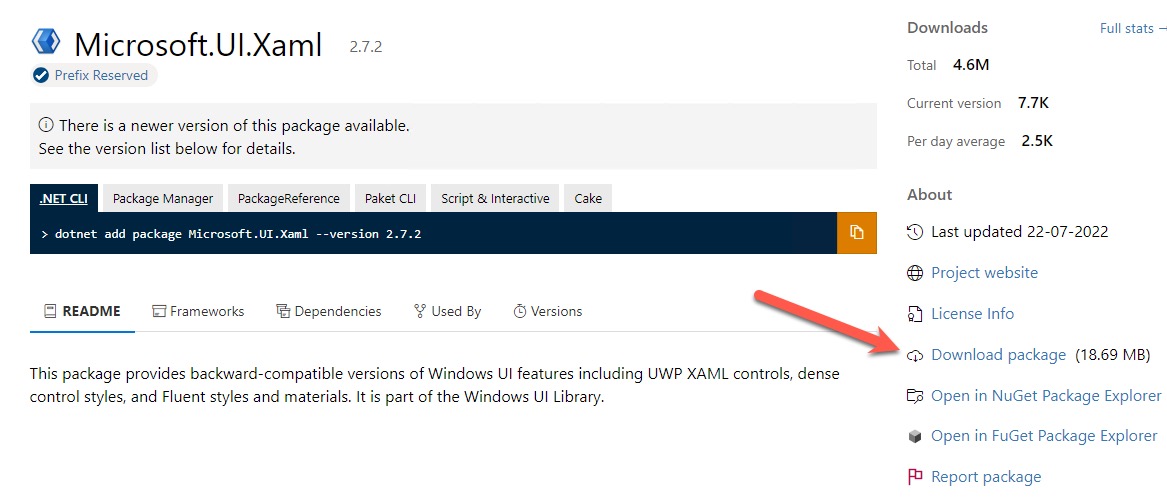
Change the name of the .nupkg file to .zip, and extract the content to your desired path
Installation
Application Control is crucial in any EUC environment, but once in a while, there can be hiccups. Such as, installing WDAC Policy Wizard in a Server based OS.
Open Powershell and do the following:
Add-AppxPackage -Path "WhateverDrive:\Path\To\Microsoft.VCLibs.x64.14.00.Desktop.appx"
Add-AppxPackage -Path "WhateverDrive:\Path\To\Microsoft.UI.Xaml.2.7.appx"
Add-AppxPackage -Path "WhateverDrive:\Path\To\Microsoft.DesktopAppInstaller_1.17.10751.0_8wekyb3d8bbwe\Microsoft.DesktopAppInstaller_1.17.10751.0_8wekyb3d8bbwe.msixbundle"
Replace “WhateverDrive:\Path\To" with the locations of the different “.appx” installers and remember to choose the correct platform in UI Xaml
Now double click the previously download WDACWizard.appinstaller and you’re good-to-go!